
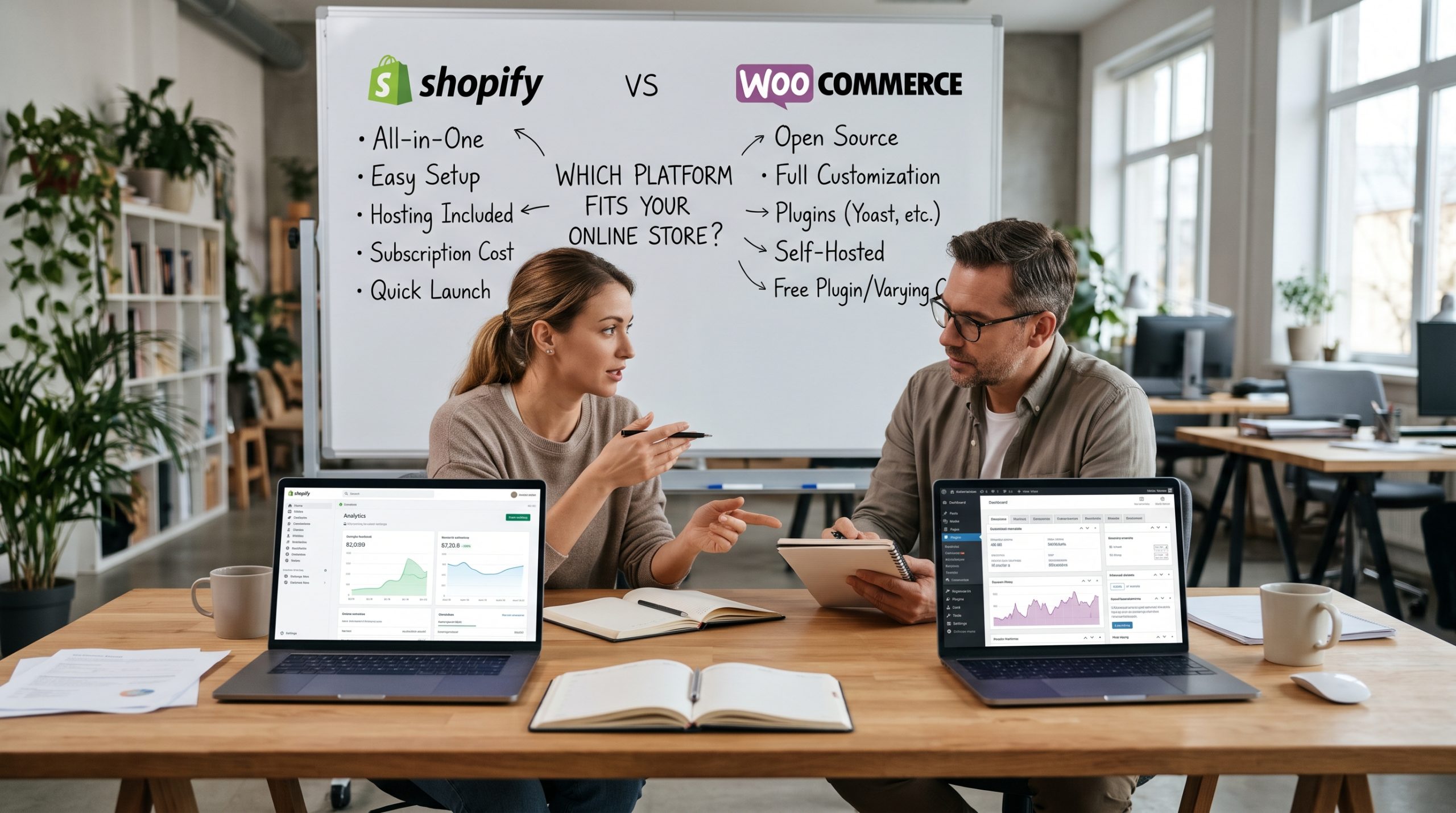
Every few weeks, a founder gets on a call with me, coffee in hand, and asks some version of the Shopify vs WooCommerce question: “Which one should I build my store on?” Usually they’ve already read a dozen comparison posts and still can’t decide. That makes sense, because most of those posts compare feature lists. Feature lists don’t decide which platform works for a business. The way the business runs does.
I’ve spent years on ecommerce website development, helping retailers launch stores, move stores, and occasionally rescue stores that were built on the wrong foundation. The Shopify vs WooCommerce choice has come up in nearly every one of those projects. In this guide I’ll explain how I actually help clients make it: what each platform costs once you count everything, where each one causes problems, and the questions that settle the decision faster than any feature checklist. If you’re also weighing BigCommerce, Wix or Squarespace, our guide to the best ecommerce platform covers the wider field.
The Question Behind the Question
When someone asks me which platform is better, I answer with a question of my own: who will be maintaining this store at eleven o’clock on a Tuesday night when something breaks?
That answer predicts the outcome better than anything else. If the honest answer is “me, and I don’t know what a database is,” you’re already leaning one way. If it’s “our developer, who has been building WordPress sites for ten years,” you’re leaning the other way. Both platforms can run a profitable store. They just expect different things from you once launch day is over.
So before we compare pricing tables, keep that Tuesday night scenario in mind. We’ll come back to it.
Shopify vs WooCommerce: Renting a Storefront or Owning the Building
The simplest way to see the difference is this: Shopify is like leasing space in a well managed shopping center, and WooCommerce is like buying land and building your own shop.
Shopify is a hosted platform. You pay a monthly subscription, and Shopify takes care of servers, security patches, uptime, checkout infrastructure, and most of the technical work you’d otherwise lose sleep over. You can arrange the interior however you like within the building’s rules, but you can’t move the walls.
WooCommerce is a free, open source plugin that turns a WordPress website into a store. You pick your own host, install your own theme and extensions, and control everything, including the code. You can move any wall you want. You’re also responsible for the plumbing, the wiring, and the roof.
Neither approach is better in general. Plenty of successful retailers lease, and plenty buy. The real question is which tradeoff your business can absorb.
Shopify vs WooCommerce Pricing: What You Will Actually Pay
This is where most comparisons go wrong, so let’s slow down here.
Shopify’s Pricing in Plain Terms
Shopify’s current lineup has five tiers. The plans are Starter at $5 a month, Basic at $39, Grow at $105, Advanced at $399, and Plus starting at $2,300 a month, and the subscription is only one piece of the total cost. If you’ve seen older articles mention a “Shopify plan,” that’s the same tier under a new name. Shopify renamed its middle plan from “Shopify” to “Grow” in early 2026, and the price and features didn’t change. Paying annually also helps, since the three core plans (Basic, Grow, and Advanced) are 25% cheaper on annual billing.
The Starter plan isn’t really a store. It suits creators selling through social links. For an actual storefront, most of my clients start on Basic or Grow.
The Fee Most People Miss
This catches people out in nearly every Shopify engagement I’ve worked on. Shopify wants you to use its own payment processor, Shopify Payments, and it charges a penalty if you don’t. The third party transaction fee is 2% on Basic, 1% on Grow, and 0.6% on Advanced, and it’s charged on top of whatever your gateway already takes, so every sale pays two providers.
To make that concrete: if you run Stripe directly as an outside gateway on Basic, you pay Stripe’s 2.9% + $0.30 and also Shopify’s 2.0%, which comes to 4.9% + $0.30 per order. At small volume that’s an annoyance. At meaningful volume it’s a real hit to your margin. That’s why I always model fees before any payment gateway integration.
For most merchants the fix is simple: use Shopify Payments. The problem is availability. Shopify Payments isn’t offered everywhere, so merchants in unsupported regions have to use outside providers and pay Shopify’s transaction fees. If you sell from a country where Shopify Payments isn’t available, put that at the top of your list, because it can quietly cost you thousands each year.
One recent change is worth knowing about too. Since May 12, 2025, newer stores also pay the third party transaction fee on the store credit and gift card portions of an order, even when the card payment goes through Shopify Payments. It’s a small detail, but small details add up.
WooCommerce’s “Free” Price Tag
WooCommerce costs nothing to download, and that’s true. Running a store on it isn’t free, though. The plugin has no monthly fee and takes no share of your revenue, but a store still has real costs, which come from hosting, payment processing, paid extensions, your theme, and development or maintenance time.
For a sense of scale, WooCommerce’s own pricing guidance puts hosting at $25 to $350 a month for most stores and extensions at $29 to $299 a year each. On payments, WooCommerce’s own gateway uses the same rate structure as Shopify’s. As of October 2026, US merchants on WooPayments pay 2.9% + $0.30 per domestic card transaction, with no setup fee and no monthly fee for online payments. Importantly, WooCommerce doesn’t add a penalty for using a different gateway, so you can use whatever processor gives you the best rate.
One update that still trips people up: some older guides describe a hosted WooCommerce plan. Woo Express, WooCommerce’s former hosted plan, has been discontinued and is no longer a hosting option.
A Worked Example From My Own Notebook
Here’s how I usually explain the Shopify vs WooCommerce cost question to a client. Picture a store doing about $20,000 a month in sales, with an average order of $50. That’s roughly 400 orders a month.
On Shopify Basic with Shopify Payments, the subscription is about $29 a month on annual billing. Processing at 2.9% + $0.30 comes to roughly $700. Add around $100 for a handful of apps, and you’re near $830 a month.
On WooCommerce with decent managed hosting at about $50, maybe $50 a month in extension licenses averaged across the year, and the same processing rate of roughly $700, you land around $800. Then add maintenance. If you pay a developer even a modest monthly retainer, WooCommerce ends up costing about the same as Shopify, or more.
Look at what that example shows. The platform fee is a rounding error next to payment processing. The real cost difference shows up in two places: Shopify’s third party fee if you can’t use Shopify Payments, and labor costs on WooCommerce if you can’t maintain it yourself. Budget around those two factors and ignore the headline price.
Shopify vs WooCommerce Ease of Use: Who Does the Work?
Back to the Tuesday night question.
Shopify is easier to use, and I don’t think that’s controversial. You can go from signing up to taking real orders in an afternoon. Hosting, SSL, checkout, and security are all handled, and support is available around the clock. For a founder who wants to focus on product and marketing, that matters a lot.
WooCommerce asks more of you. You’ll choose a host, keep WordPress, your theme, and every plugin updated, take backups, and occasionally deal with a plugin conflict after an update. None of that is difficult for someone who knows WordPress. For someone who doesn’t, it can become a part time job nobody signed up for.
I once worked with a candle maker who chose WooCommerce because a friend told her it was cheaper. Eight months later she was spending her Sunday evenings watching tutorials on caching plugins instead of developing new scents. We moved her to Shopify, and the first thing she said afterward was that she’d gotten her weekends back. That outcome is worth something too, even though it never shows up on a pricing table.
Design and Customization
Both platforms can produce attractive stores. The difference is how much freedom you have.
Shopify’s theme system is polished and getting better all the time. Within its framework you can build a beautiful, conversion focused storefront without writing code, and most modern themes handle mobile ecommerce design well out of the box. Once you want to go beyond that framework, you’ll be working in Shopify’s templating language, and some areas, especially checkout on the standard plans, are deliberately locked down. That limits how far you can take checkout page design below Plus.
WooCommerce has almost no limits. Because it’s WordPress underneath, any page, template, or flow can be rebuilt. I’ve seen WooCommerce stores with custom quote builders, complicated B2B pricing rules, and membership areas that would have been awkward or expensive on Shopify. If your business model is unusual, that flexibility can make the decision for you. And if you need full freedom on either platform, a headless commerce front end is an option, at a much higher build cost.
My rule of thumb: if your store looks and works like a typical retail store, Shopify’s limits will rarely bother you. If your business has a quirky process at its core, WooCommerce’s openness starts to pay off, especially for custom ecommerce website design.
Apps vs Plugins: The Ecosystem Question
Both platforms depend on add ons, and both have plenty.
Shopify’s marketplace is large and well curated. The Shopify App Store currently lists 17,891 apps from 11,352 partners, with an average rating of 4.70 stars. Quality control is real, and installing an app is usually a click.
The catch is that most apps are monthly subscriptions. Five apps at $15 to $30 each quietly add $100 or more to your monthly bill, and I regularly audit Shopify stores that pay for apps nobody remembers installing. My advice to every Shopify client is the same: review your app list each quarter and delete anything that doesn’t move revenue or save time.
WooCommerce draws on the WordPress plugin universe, which is enormous. Many extensions are one time purchases or annual licenses, and some of the most capable ones are free. The tradeoff is quality control. Plugins come from thousands of independent developers, and an outdated or poorly coded plugin can slow your site, create a security hole, or break website accessibility on your product pages. Picking plugins carefully matters much more on WooCommerce than picking apps does on Shopify.
Shopify vs WooCommerce for SEO and Content Marketing
This is where I disagree with a lot of the conventional advice.
People often say WooCommerce wins on SEO by default. It’s more accurate to say WooCommerce wins on content. WordPress is still one of the best blogging platforms available, and if your growth plan depends on long form articles, buying guides, and topical authority, WooCommerce lets you build that content engine and your store in one place, with full control over URLs, schema, and site structure.
Shopify handles the technical basics well: clean code, fast hosting, editable meta tags, automatic sitemaps. Its blog is functional but basic, and its URL structure is fixed, with prefixes like “/products/” and “/collections/” that you can’t remove. Those prefixes won’t hurt your rankings in any meaningful way, whatever forum threads claim, but they do show how little control you have.
In practice, I’ve seen Shopify stores rank very well and WooCommerce stores rank badly. The platform matters far less than the effort. If you won’t publish content, WooCommerce’s SEO advantage is irrelevant. If you will publish seriously, it’s a real advantage.
Shopify vs WooCommerce on Performance, Security, and Scaling
Shopify handles performance and security for you. Its infrastructure absorbs traffic spikes from flash sales and holiday rushes without you ever thinking about servers, and PCI compliance for checkout is managed for you. For merchants who expect sudden surges, that peace of mind matters a great deal.
With WooCommerce, performance depends on your hosting and your discipline. Cheap shared hosting plus a pile of plugins makes a slow store. Good managed hosting plus a lean plugin set can be very fast. Our guide to website speed optimization covers the work in detail, and a progressive web app layer can make repeat visits faster on either platform.
WooCommerce has also made real progress at the database level. For years, orders were stored in the generic WordPress posts tables, which caused problems for large stores. That has changed. High Performance Order Storage gives orders, order addresses, and related data their own tables and indexes, which means fewer read and write operations and less congested tables. It has been the default for new installations since WooCommerce 8.2. If you’re running an older store that has never switched, it’s worth a conversation with your developer.
Security on WooCommerce is your job: updates, a firewall, strong passwords, and reliable backups. None of it is exotic, but all of it has to be done consistently.
Data Ownership and the Exit Door
Here’s a question few people ask at launch and many wish they had: what happens if you want to leave?
With WooCommerce, you own everything: the code, the database, the content, and the customer records. You can move hosts tomorrow, and nobody can change your terms or raise your rent.
With Shopify, you own your data and can export it, but you’re building on someone else’s land. Pricing, policies, and fee structures are Shopify’s decisions, and the third party fee changes I mentioned earlier show that those decisions do change. Migrating off Shopify is possible but rarely painless, especially once you depend on a dozen apps.
For most small and midsize retailers, this isn’t a reason to avoid Shopify. Shopify has been a stable, reliable partner for millions of merchants. Just make the decision knowing what you’re agreeing to.
Who Is Winning the Market?
In the Shopify vs WooCommerce race, market share figures vary a lot depending on who’s counting. Measured by store count, WooCommerce leads globally with a 33.4% share, ahead of Shopify at 19.6%. Counting only the busier sites changes things. One 2026 analysis of HTTP Archive data found WooCommerce ahead across the whole web, while Shopify already leads among the top one million sites.
That split tells you something useful. WooCommerce powers a huge number of small and independent stores. Shopify is increasingly the default choice for brands that are growing quickly. Both are safe bets that won’t disappear, and that’s what matters to most retailers.
Shopify vs WooCommerce Scenarios: Where I Steer Clients
After enough of these engagements, patterns show up. This is roughly how I advise people.
- The solo founder launching a first product line. Shopify, almost always. Speed to market and low maintenance count for more than flexibility at this stage, and you can revisit the decision once you have revenue and a team.
- The content publisher adding a store. WooCommerce. If you already have a WordPress site with real traffic, putting the store in the same place keeps your SEO equity and your workflow together.
- The brand expecting fast growth and big promotional spikes. Shopify. Its infrastructure is built for volatility, and the higher tiers lower your transaction costs as you scale.
- The business with an unusual model. Think custom configurators, wholesale price tiers, bookings combined with physical goods, or complex membership rules. WooCommerce usually handles these more cleanly and for less money.
- The merchant in a country without Shopify Payments. Do the fee math carefully before choosing Shopify. That third party fee can wipe out the convenience advantage, and WooCommerce’s gateway flexibility often wins.
- The team with in house WordPress skills. WooCommerce. You already have the people who make WooCommerce work well, so its main weakness doesn’t apply to you.
A Quick Shopify vs WooCommerce Decision Checklist
When a client is still unsure after all of this, I give them five questions to answer honestly:
- Who will maintain the store day to day, and how comfortable are they with technical work?
- Is Shopify Payments available in your country, and does it support the payment methods your customers prefer?
- Does your business model fit a typical retail flow, or does it need custom logic?
- How important is content marketing to your growth plan over the next two years?
- How much does full ownership of your platform and data matter to you?
Answers that mostly point toward convenience mean Shopify. If most point toward control, go with WooCommerce. An even split? Let question one decide, because the Tuesday night problem is the one you’ll deal with most often.
Final Thoughts on Shopify vs WooCommerce
The Shopify vs WooCommerce debate continues because both sides have a point. Shopify sells convenience, reliability, and speed. WooCommerce sells freedom, ownership, and flexibility. The mistake isn’t choosing one over the other. Choosing based on a headline price or a friend’s recommendation, instead of on how your business actually runs, is where things go wrong.
Pick the platform that matches the team you have today and the business you’re realistically building over the next two or three years. Then follow our guide on how to build an ecommerce website to get it live. Get that right, and the platform stops getting in your way, which is the whole point.
Shopify vs WooCommerce FAQs
Is WooCommerce really cheaper than Shopify?
Not necessarily. The plugin is free, but hosting, extensions, and maintenance add up, and payment processing usually costs about the same on both. For a realistic breakdown, see this guide on what a WooCommerce store costs to run.
Can I avoid Shopify’s transaction fees?
Yes. Using Shopify Payments removes the third party transaction fee, though standard card processing fees still apply. This Shopify payment fees breakdown explains how the rates change by plan.
Which platform is better for SEO?
Both handle technical SEO well. WooCommerce has the advantage for content heavy strategies because it runs on WordPress, while Shopify keeps things simpler with less control over URLs. The IONOS ecommerce platform guide covers both platforms’ strengths in more detail.
Does WooCommerce charge its own transaction fees?
WooCommerce doesn’t charge a platform transaction fee. If you use its built in gateway, WooPayments, you pay standard pay as you go processing rates. Current rates are listed on the official WooPayments fees page.
Can a WooCommerce store handle high order volume?
Yes, with good hosting and a current setup. WooCommerce’s order storage system was rebuilt to scale better, as explained in the High Performance Order Storage documentation.
How many apps does a typical Shopify store need?
Fewer than most merchants install. Begin with the essentials and add apps only when one solves a measurable problem. This guide on how many apps a Shopify store should use offers useful benchmarks by store stage.
Can I switch from WooCommerce to Shopify later, or the other way around?
Yes. Products, customers, and order history can be migrated in either direction, though themes and custom features have to be rebuilt. Plan carefully, and redirect your old URLs to protect your search rankings.
References
- Shopify Pricing (2026): Plans, Fees and Real Costs, Shero Commerce
- WooCommerce Statistics You Need to Know in 2026, Cloudways
- Shopify Plans: Pricing, Features and Which to Choose, Qualimero
- How Much Does WooCommerce Cost? Real Costs in 2026, eSEOspace
- Shopify Pricing in 2026: How Much Does It Really Cost?, 2HatsLogic
- WooPayments Explained: Fees, Payouts, Disputes and Alternatives, eSEOspace
- How Much Does Shopify Take Per Sale? (Fees + Tips), TrueProfit
- High Performance Order Storage, WooCommerce
- Shopify Fee Stack: Full Breakdown, Eightx
- WooPayments: Fees and Debits, WooCommerce
- Navigating Shopify Third Party Payments, Praella
- Ecommerce Platform Market Share 2026, GravityKit
- Shopify App Store Analytics, AppJubilee
- WooCommerce vs Shopify: Who’s Better? 2026 Comparison, Tidio
- IONOS Digital Guide: Shopify vs WooCommerce, IONOS
[…] need unusual custom logic usually do better with WooCommerce. (For a deeper head to head, see our Shopify vs WooCommerce comparison.) BigCommerce is strong for catalog heavy and B2B stores, although it has growth […]